The Enterprise Mode of PestScan provides a comprehensive solution for large companies that want to manage multiple locations or branches. This feature allows subsidiaries, franchise businesses, or different company locations to be efficiently organized and managed.
Note: Enterprise Mode can be activated for a monthly fee. For more information, please feel free to contact us.
Features and Benefits of Enterprise Mode
Centralized Management:
The parent company has access to all data and activities of the created branches. This allows customers, employees, and work orders to be viewed and managed across all locations.
Data Access for Branches:
Each branch only has access to its own customers, employees, and work orders. This ensures data transparency and security.
Creation and Management of Branches:
Only the parent company can create and manage new branches in the system. Each branch receives a unique address and can create its own customer profiles.
Centralized User Management:
The parent company creates and manages all users in the system, including those for the branches. This keeps user management centralized and secure.
Shared Resources:
Important lists such as attractants, bait station types, pest species, inspection point types, products, and documents are centrally shared to ensure a consistent operational experience. For more customized requirements, a separate PestScan license can be purchased for each branch.
If you are interested in this feature or need further information, please contact us directly — we will be happy to advise you!
Instructions – Creating and Managing Branches
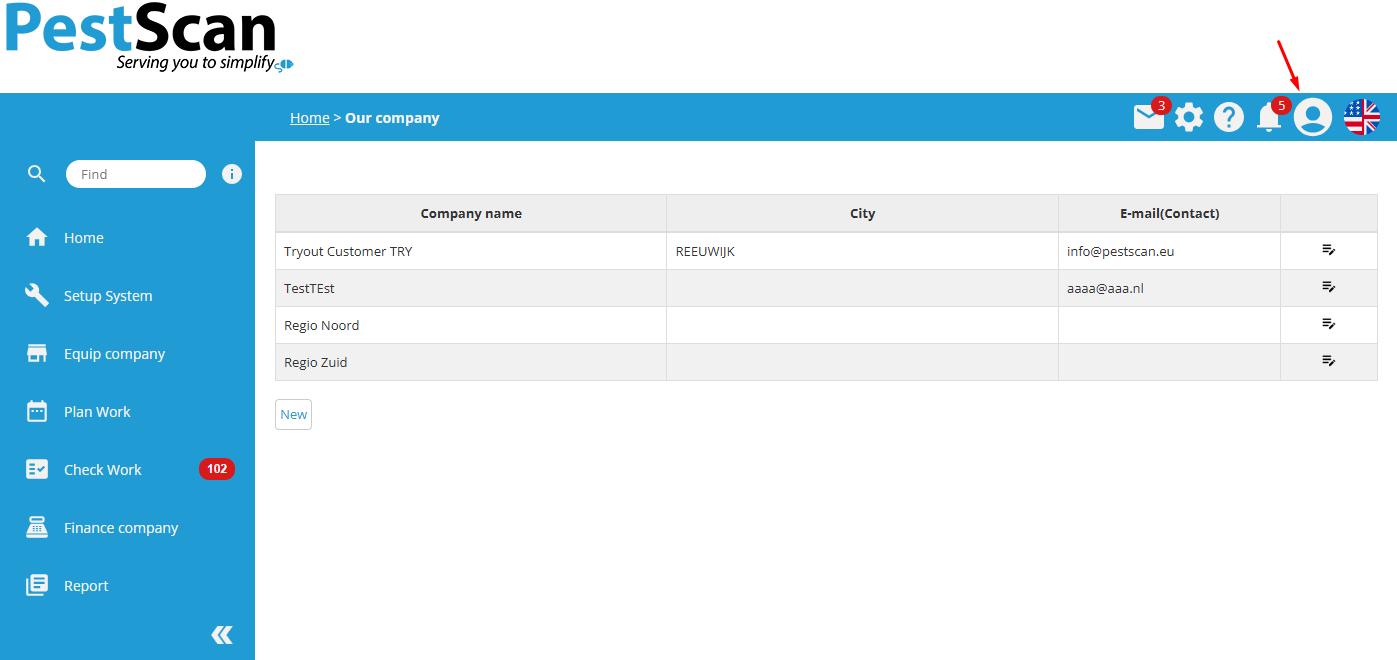
Click on “Our Company” under your profile in the top-right corner. There you will see the list of your branches and can create new ones:
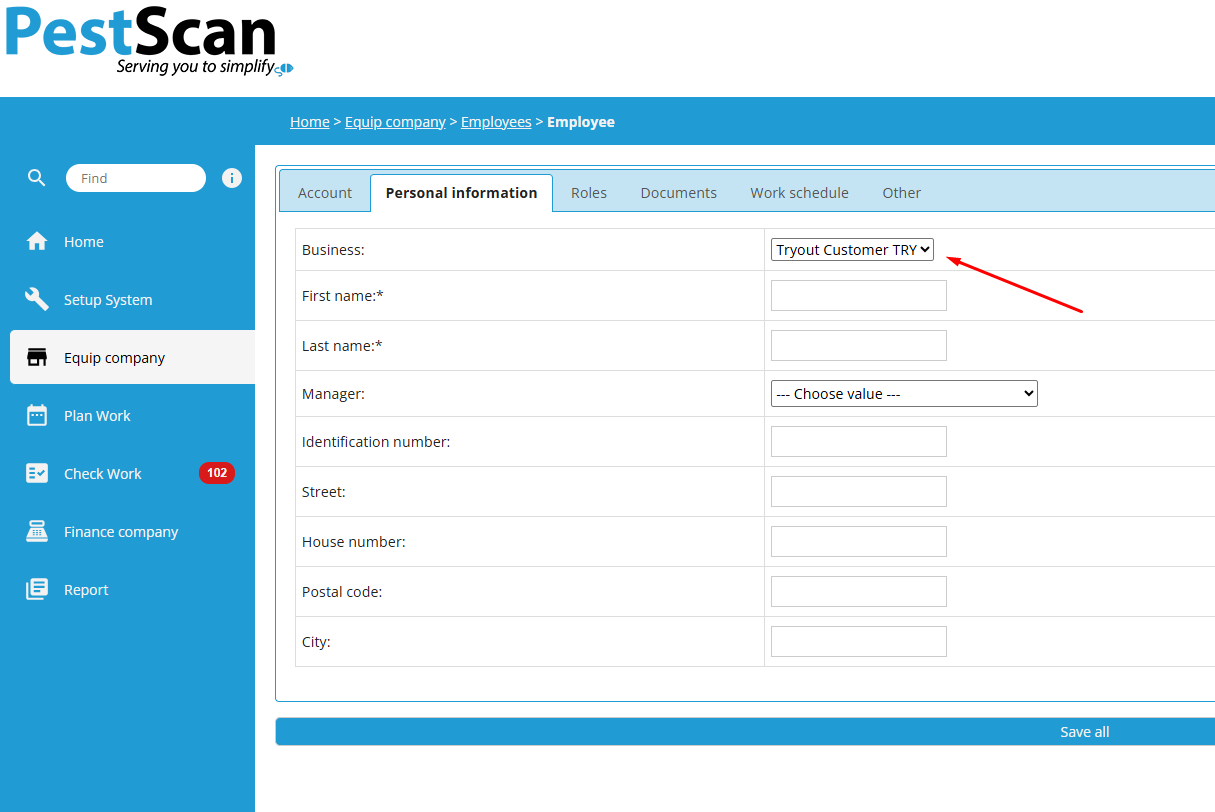
Employees and customers must be assigned to a company:
Was this article helpful?
That’s Great!
Thank you for your feedback
Sorry! We couldn't be helpful
Thank you for your feedback
Feedback sent
We appreciate your effort and will try to fix the article